Introduction to Global Change Primavera P6

Every time we create a large-scale project schedule, in some cases, we must input the same code in large quantities. Be it resources, activity codes, and so on. If done manually, it is very time-consuming and very boring.
This time we will get to know one of the Primavera P6 features, which will help with this large input work in just a few seconds.
This feature is called global change. From the name alone it is quite clear, “global or comprehensive changes” so, this tool allows us to make changes completely or partially, depending on the settings we use.
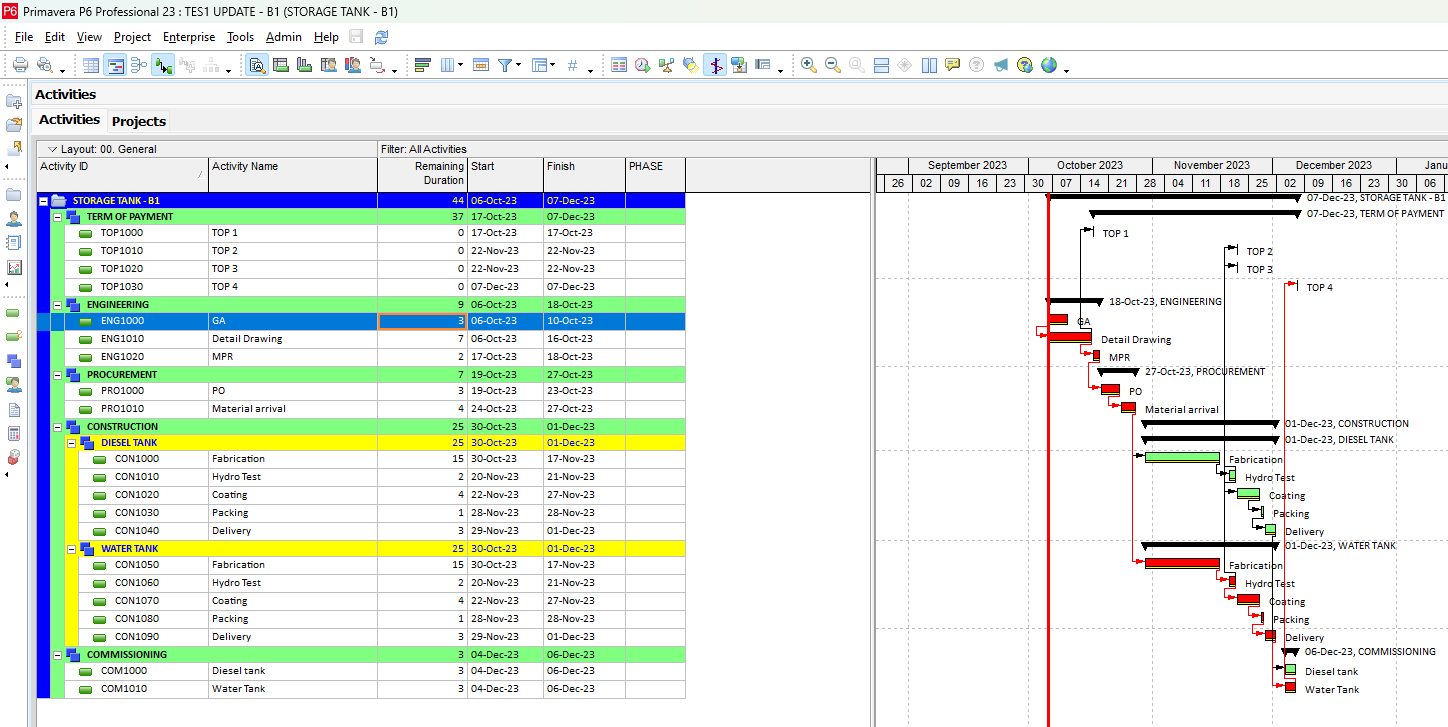
This time we will demonstrate the global change formula to input activity codes completely. This is the display before the global change is made. The PHASE column is still empty.
To use this feature, we select tools – global Change. Here we create a new one, we name it “Update Activity code phase” then the parameter I select activity code PHASE. Then the parameter value is selected Eng, then we click Ok.
Now we select the global change formula that we just created, and click Apply change, click Yes, then here we see the display of changes that occur. Click commit change to apply the changes, and click No.
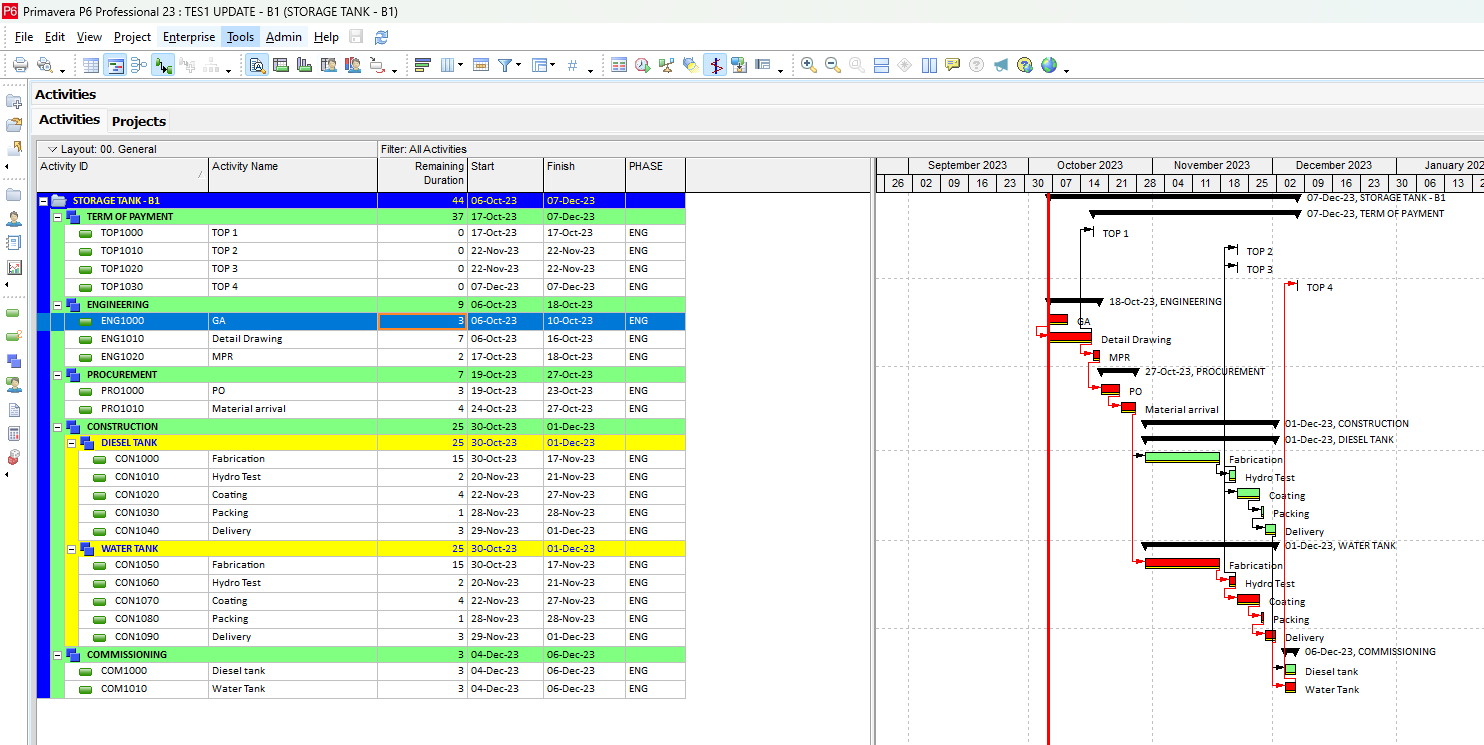
We can see, all values from the PHASE activity code have been filled in. That is a comprehensive input method without filtering activities.
Now we demonstrate again for specific activity.
In global change, click modify to make changes to the formula, and fill in the parameters using activity ID, is contains, Value TOP. And we change the parameter value below to TOP. Click ok and click Apply change to run the formula.
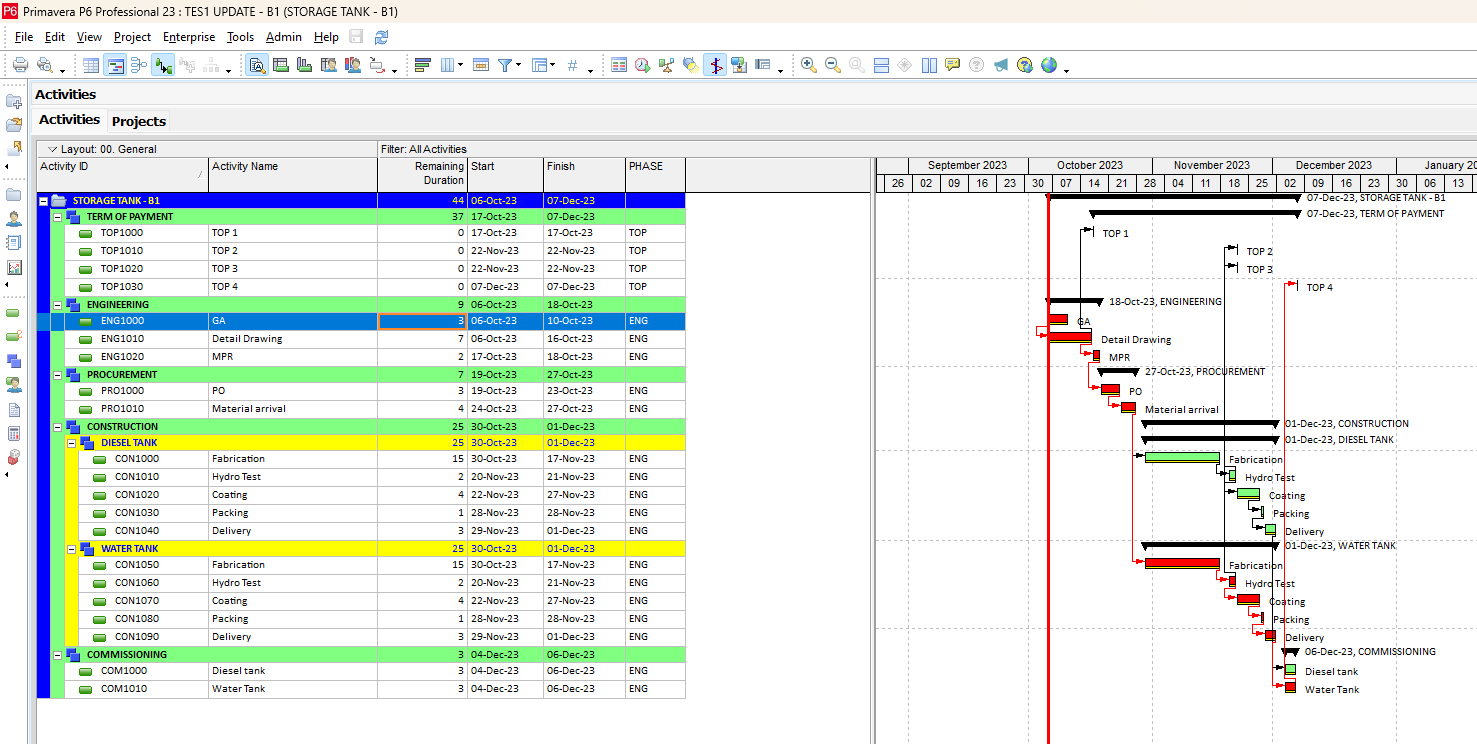
We can see here the changes only occur in these 4 activities, we commit the change. And see the results. The changes occur for only Activity IDs that have the TOP code.
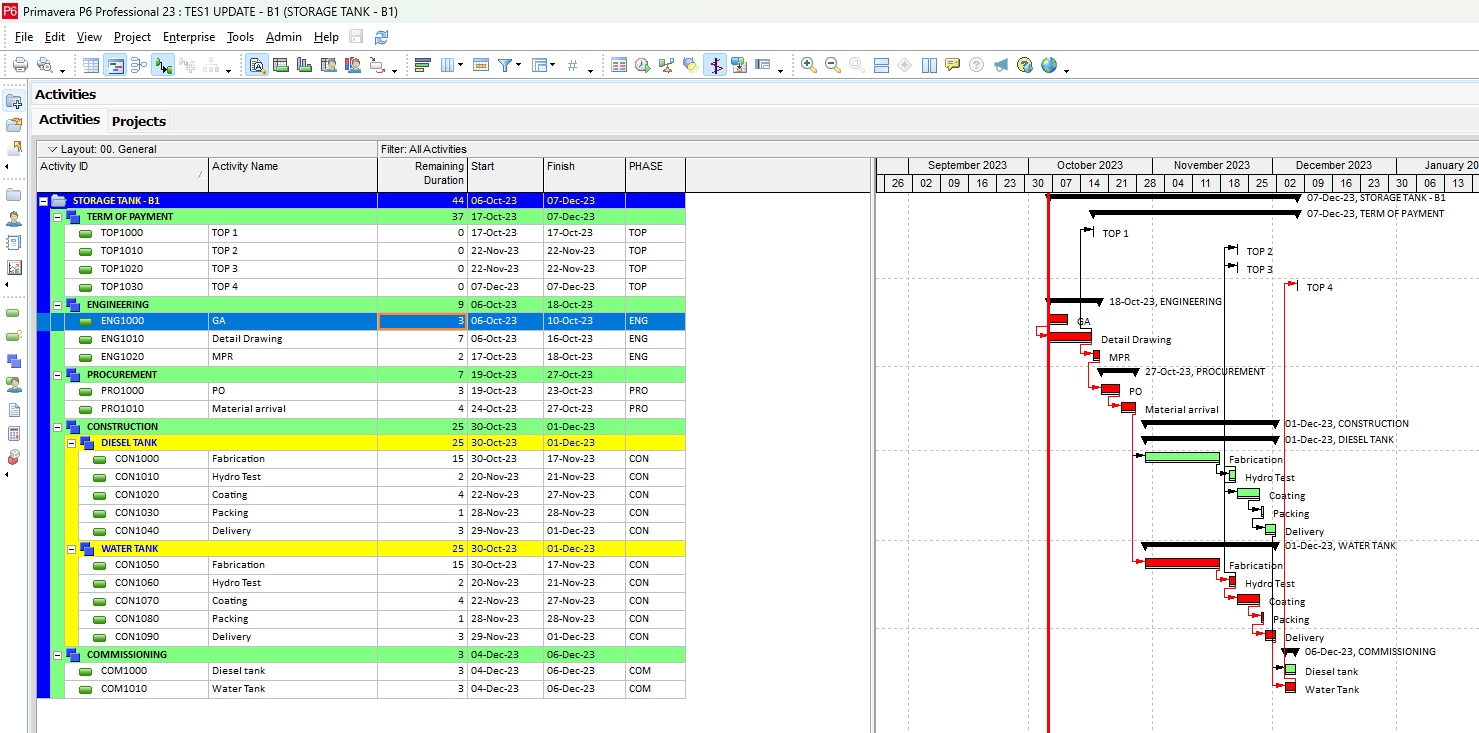
Do the same for the other phases.
That’s one demonstration of the use of global change in primavera P6.
Hopefully useful. May your fortune be smooth, blessed and long-lived. Thank you.
Check this Youtube video for more clarity: https://youtu.be/UNU22Xfr0lo
Download sample project storage tank.xer file: https://sfl.gl/jhucpm3
Download sample baseline project storage tank.xer: https://sfl.gl/MZGI



Leave a Reply